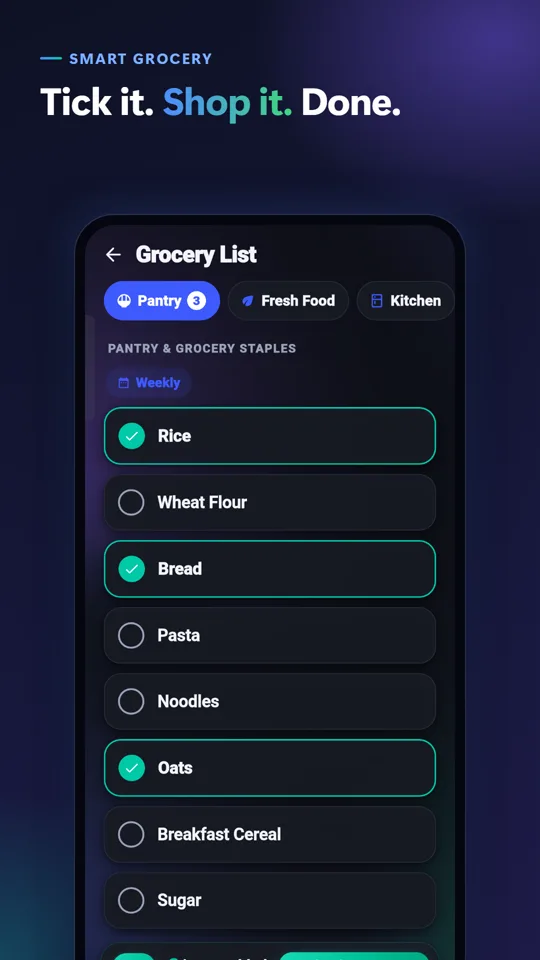
Grocery
Ready-made items, your languagePick from regional items or add your own
MyCare does not just show a reminder. It says it out loud, at alarm volume, in English, Arabic, Korean, Hindi and five more languages. Pick who you are and your whole day is already planned, from the first glass of water to good night.
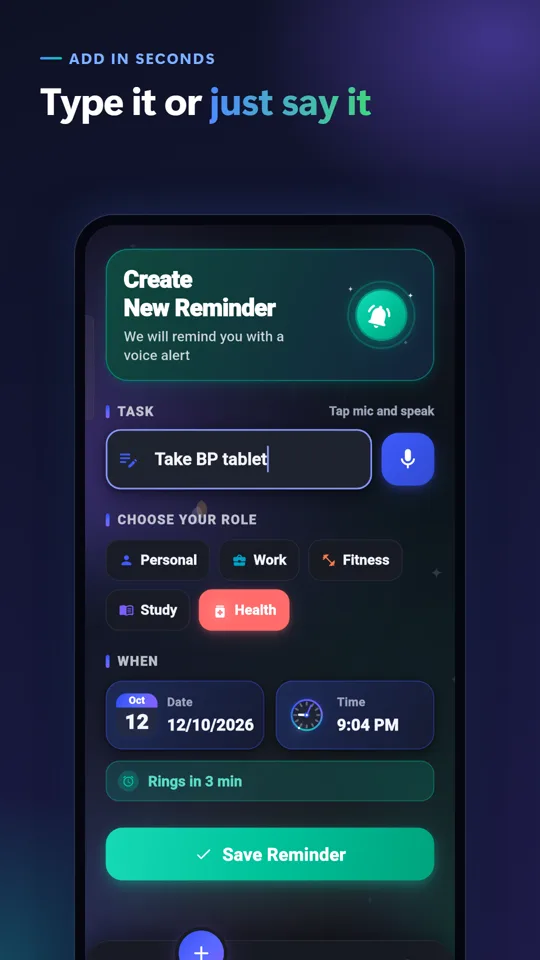
No typing a hundred alarms. MyCare plans the day for you and speaks each reminder at the right minute.
Nine languages. Every screen, every button and every spoken line follows the one you pick.
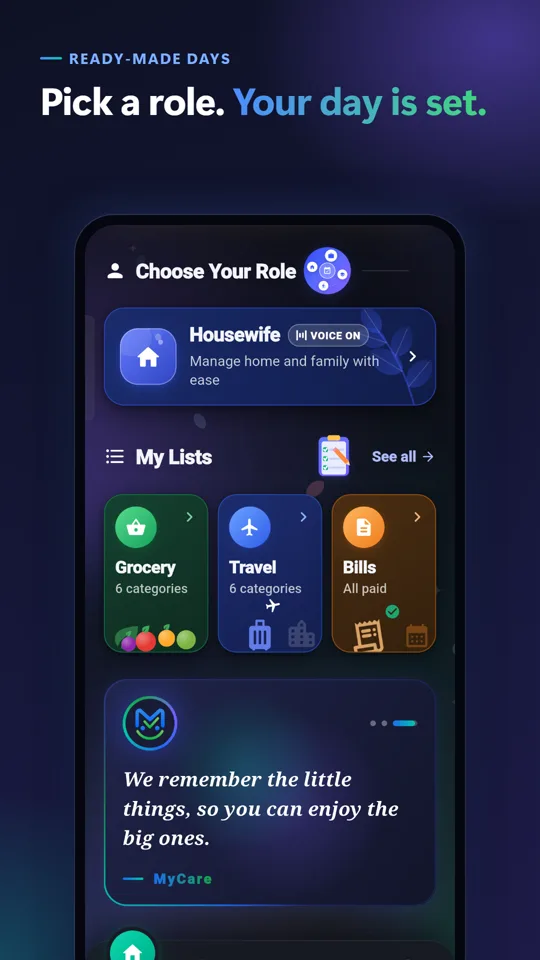
Housewife, Employee, Student or Senior Citizen. A full day of reminders is ready the moment you choose.
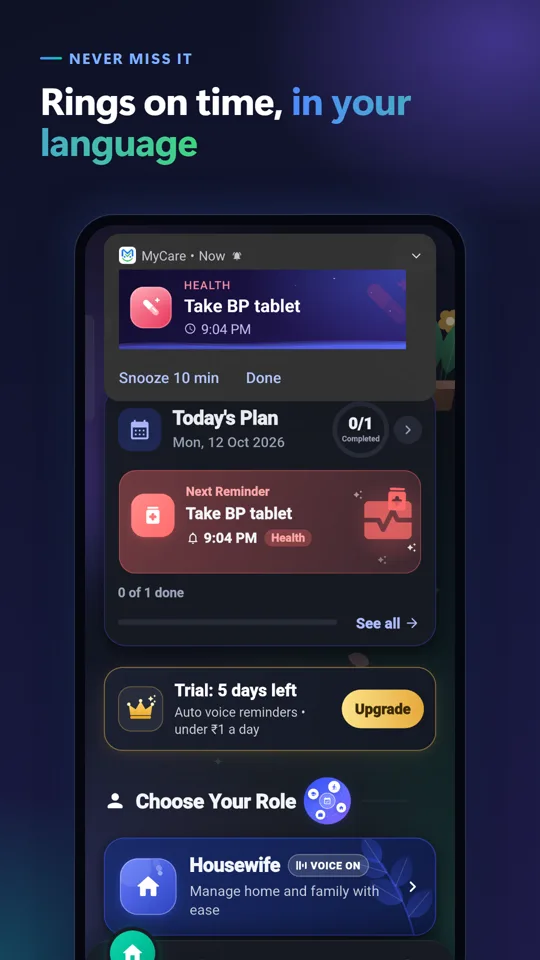
At the right minute MyCare rings and says what to do, out loud. Snooze or Done, right from the alert.
You do not have to type a single reminder. Choose the role that fits and the whole day is scheduled, every hour, in your language, spoken out loud.
Morning prayer, breakfast, lunch box, watering plants, house cleaning, evening snacks, dinner, locking up for the night.
Water through the day, breakfast, ID card and lunch box, stand up every hour, charge your phone, tomorrow packed before bed.
Water through the day, uniform and study material, lunch box, ID card and bus pass, hall ticket on exam days, homework, tomorrow packed before bed.
A call to family, water, buttermilk, a walk in the morning sun, rest in the afternoon, stove off and torch beside the bed at night.
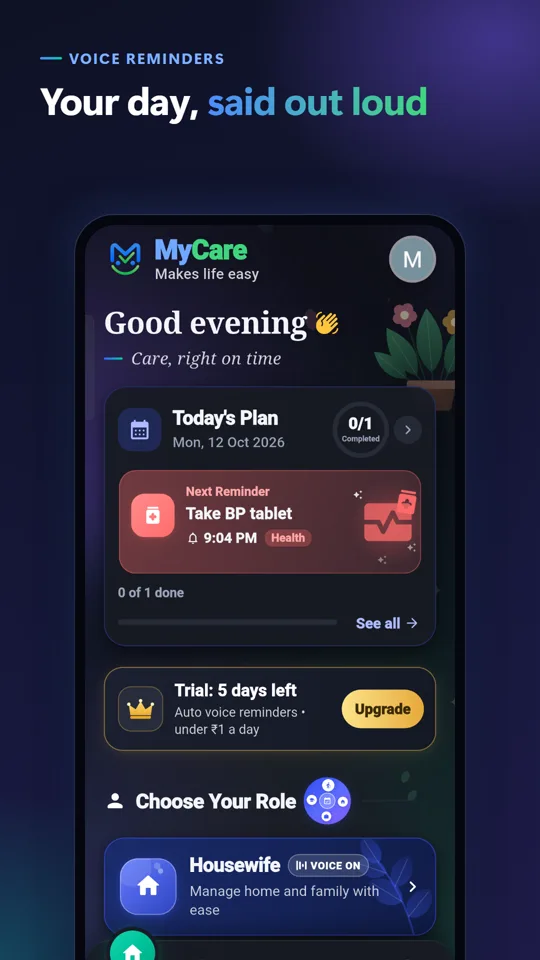
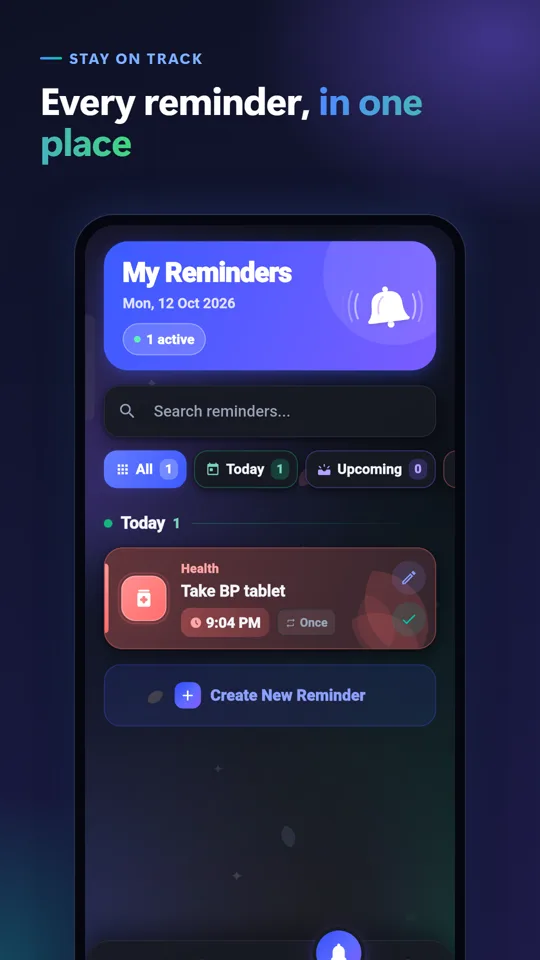
A real voice reads the reminder aloud on the alarm channel, as loud as the alarm tone itself, not the media volume. Even someone hard of hearing will not miss it.
Every reminder and every spoken line is stored on the phone. Airplane mode, no SIM, no signal: it still rings and still talks.
A clear alert with Snooze and Done, even when the phone is locked and lying face down on a table.
Add as many of your own as you like, daily, weekly or one-time. Those never cost anything, with or without a plan.
Pick the voice, slow it down for a parent or speed it up for yourself. Test it before you trust it.
Going to a function or into hospital? Pause for one, two or four hours. When time is up, the reminders return by themselves.
Two buttons on the alert itself. Snooze brings it back in ten minutes; Done marks it as finished.
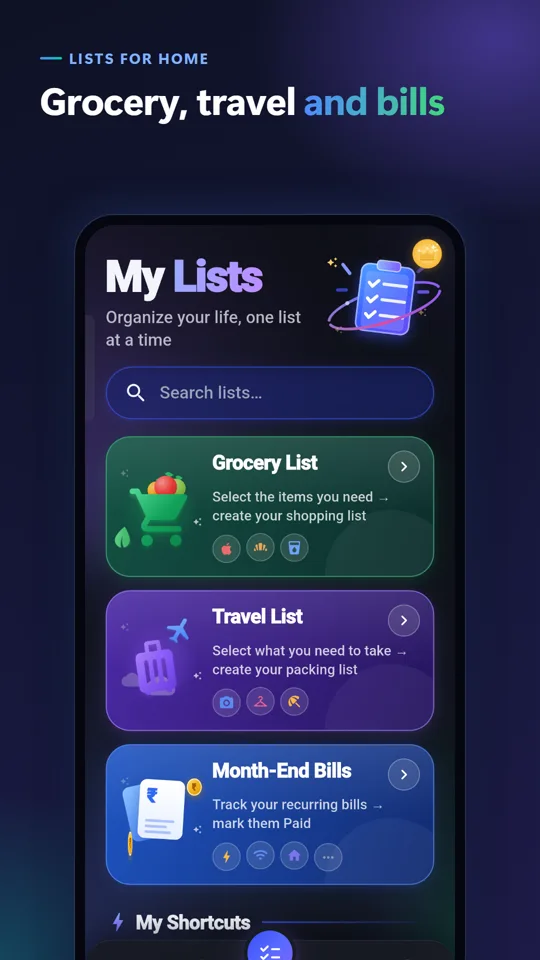
Grocery, travel packing and monthly bills in one place. Tick items as you shop or pack, and see which bills are still unpaid. Part of the paid plan.
Reboot, battery saver, an over-eager cleaner app: the reminders come back. The app checks its own alarms every time it opens.
Grocery, travel packing and monthly bills, in the same calm app that reads your reminders aloud. Tick as you go, and nothing gets forgotten at the shop, the station or the bill counter.
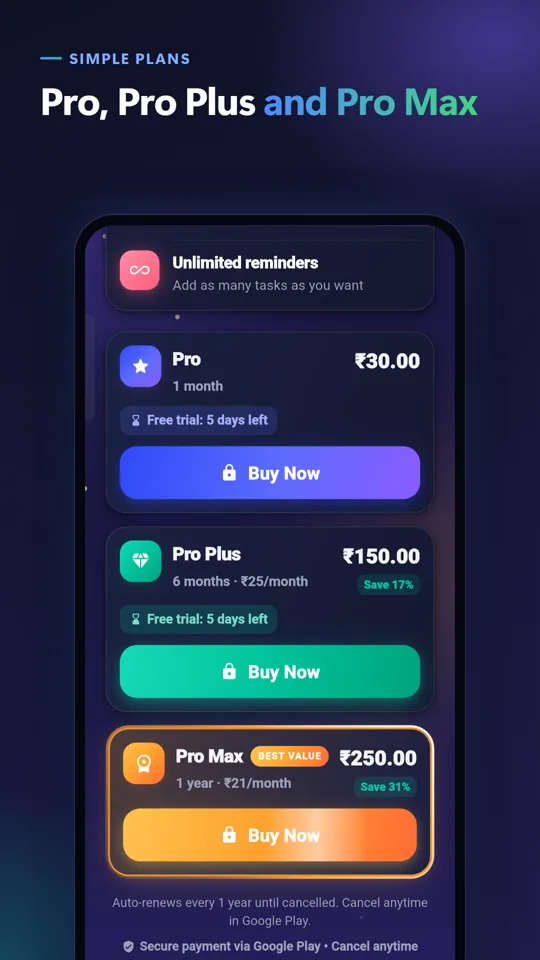
Lists are part of Pro, Pro Plus and Pro Max. They are free during the seven-day trial, and anything you add stays on your phone.
The app does not read English words with an accent. Each language has its own written schedule and its own voice, right on the phone. Pick one and the whole app follows it.
The reminders have to run on their phone, but the payment can come from you. In India, start checkout on their phone, enter your own UPI id, and the approval request arrives on your phone.
Every new account starts with seven days free, and no card is asked for. After that, the ready-made role schedules and Lists are the paid part; reminders you add yourself stay free.
Billed through Google Play; auto-renews until cancelled. Cancel any time in Google Play → Subscriptions, with no cancellation fee. The yearly plan is worth more than the discount: a monthly UPI mandate has to succeed every single month, and if it fails once the reminders go quiet.
Your name and Gmail address, the reminders you create, your language and role, and a profile photo if you add one. That is the list.
Your voice. Speech happens on the phone itself. We do not record audio, read your contacts, or track your location.
Delete your account from inside the app, or from this website, and everything goes with it. No email, no waiting period.
Anything else? Message us on WhatsApp or email mycareapp.official@gmail.com.
Yes. When a reminder is scheduled, its text and the words to speak are saved on the phone. The alarm and the voice both work in airplane mode, with no SIM, or in a village with no signal. Internet is only used to sync your reminders across devices.
The spoken reminder plays on the phone's alarm channel, not the media channel, so it is as loud as the alarm tone even if the media volume is turned all the way down. You can also slow the voice down in the settings.
The four role schedules are fixed, so that nothing has to be set up. Anything else you want, you add as your own reminder. Those are unlimited and free, and they can repeat daily, weekly or just once.
Yes, seven days, starting the moment the account is created. No card and no UPI mandate is asked for, and nothing charges itself at the end: the role schedules simply stop until a plan is chosen.
Yes. Upgrading, downgrading and cancelling all happen in Google Play → Subscriptions, and Play handles the remaining balance. The app picks up the change on its own the next time it opens.
The role reminders stop; your own reminders keep working. The app warns you seven days, three days and one day before it expires, so it never goes quiet without notice.
Every screen, button and spoken line follows the language you choose at the start, not just the reminders. Pick తెలుగు and the whole app is in తెలుగు, or any of the other eight languages.
A real Gmail account only. Tap Continue with Google, or sign up with your Gmail address and a password. For a password sign-up we email a link to that Gmail; tap it once and you are in. An unverified sign-up is removed after 24 hours, so a mistyped address never blocks the real owner.
Notifications and exact alarms, so a reminder can ring at the right minute; and the microphone, only if you choose to speak a reminder instead of typing it. Nothing is recorded or uploaded.
Android 7 and above. The app is small and runs well on entry-level phones; it was built and tested on one.
Pick a role, pick a language, and put the phone down. MyCare does the rest, out loud.